Do this now
Close the vulnerable path first. If you see evidence of compromise, preserve it before beginning cleanup.
- 1Preserve evidence when compromise is suspected
Save current logs and take a full file-and-database backup before deleting accounts, files, or scheduled tasks. Restrict access or ask your host for help if changes are continuing.
- 2Update WooPayments
Install the latest release supported by your WordPress and WooCommerce environment. Do not downgrade to the historically important 5.6.2 release.
- 3Confirm the active version
In WordPress, open Plugins and verify the version shown for WooPayments, formerly named WooCommerce Payments.
- 4Investigate the period of exposure
If version 5.6.1 or an earlier affected branch was active, review privileged accounts, content, software, tasks, files, and available audit logs.
Quick facts
The affected range is historical. The safe operational choice today is the latest supported release.
- CVE
- CVE-2023-28121
- Product
- WooPayments, formerly WooCommerce Payments
- Affected versions
- NVD describes 5.6.1 and lower; Woo’s original advisory addresses the vulnerable 4.8.0–5.6.1 branches.
- Historical fix
- 5.6.2 was the first fixed release in the 5.6 branch; Woo also issued patched releases for older branches.
- Potential result
- An unauthenticated attacker could act as an elevated user, including an administrator.
- NVD severity
- CVSS 3.1: 9.8 Critical (NVD assessment)
“Affected” means the vulnerable code was present. It does not mean every store running that version was targeted or compromised. This article intentionally does not repeat the old claim that hundreds of thousands of stores were hacked; the available sources do not support it.
How the authentication bypass worked
The error occurred while WordPress was deciding which user, if any, belonged to the request.
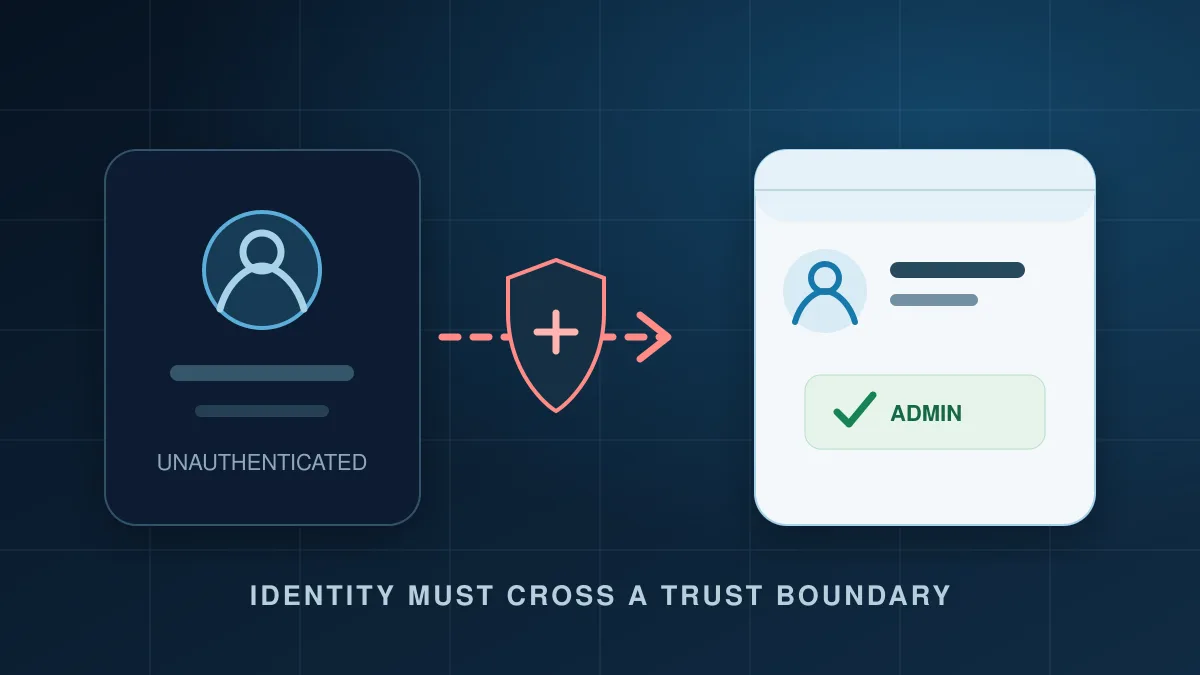
WordPress uses the determine_current_user filter while establishing the current user. BitFire’s 2023 source review identified WooCommerce Payments logic for platform checkout that accepted request-controlled identity information during this decision without first establishing that the caller was trusted.
That mistake crossed a trust boundary: data supplied by a remote request influenced the server’s trusted user identity. The vulnerable code path could therefore make later WordPress permission checks run as an elevated account. This description explains the authorization failure without publishing a working request or payload.
Was my store compromised?
No single access-log line can answer that question. Review several independent sources of evidence.
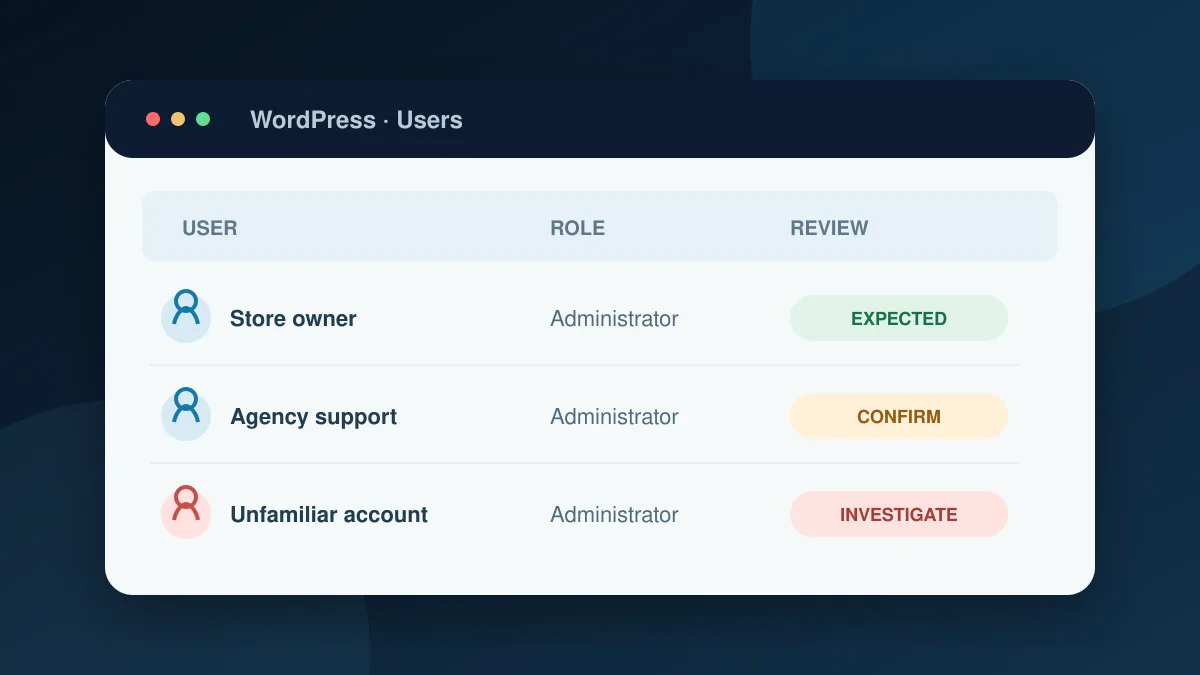
- 1Administrator accounts and users
Look for accounts you do not recognize, unexplained privilege changes, unusual email addresses, and creation times that overlap the exposure period.
- 2Posts, pages, plugins, and themes
Review recently created content, installed software, activated components, and changes to theme or plugin files.
- 3Scheduled work and persistence
Inspect WordPress cron, server cron, must-use plugins, startup files, and unexpected PHP files—especially in locations intended for media.
- 4Security, access, and audit logs
Build a timeline from available events. Correlate suspicious requests with user creation, file changes, logins, and outbound activity.
It only says the server returned a successful HTTP response. Many harmless requests do that.
It may show one request was blocked, not that every earlier or alternate attempt failed.
The IP address, response size, and single request pattern printed in the old article are not reliable standalone indicators and have been removed.
Recovery checklist
Contain malicious access, preserve enough evidence to understand it, then remove persistence and rotate secrets.
- 1Preserve logs and a complete backup
Keep copies outside the affected hosting account when possible.
- 2Record and disable unauthorized administrators
Capture the account details and relevant times before removing access. Confirm unfamiliar accounts are not maintained by your host, agency, or integration.
- 3Scan and investigate persistence
Review files, database content, scheduled tasks, active sessions, and outbound connections. Follow the BitFire malware scanning and cleanup guide.
- 4Contain malicious code before changing secrets
Active malware may capture new credentials. Isolate or remove it first whenever the incident allows.
- 5Rotate the credentials the store can reach
As appropriate, reset administrator passwords, WordPress salts and sessions, API and payment-service keys, hosting and SFTP credentials, and database credentials.
- 6Update, test, and monitor
Update all supported software, remove unused components, test checkout and integrations, and watch for the suspicious behavior returning.
Why layered protection matters
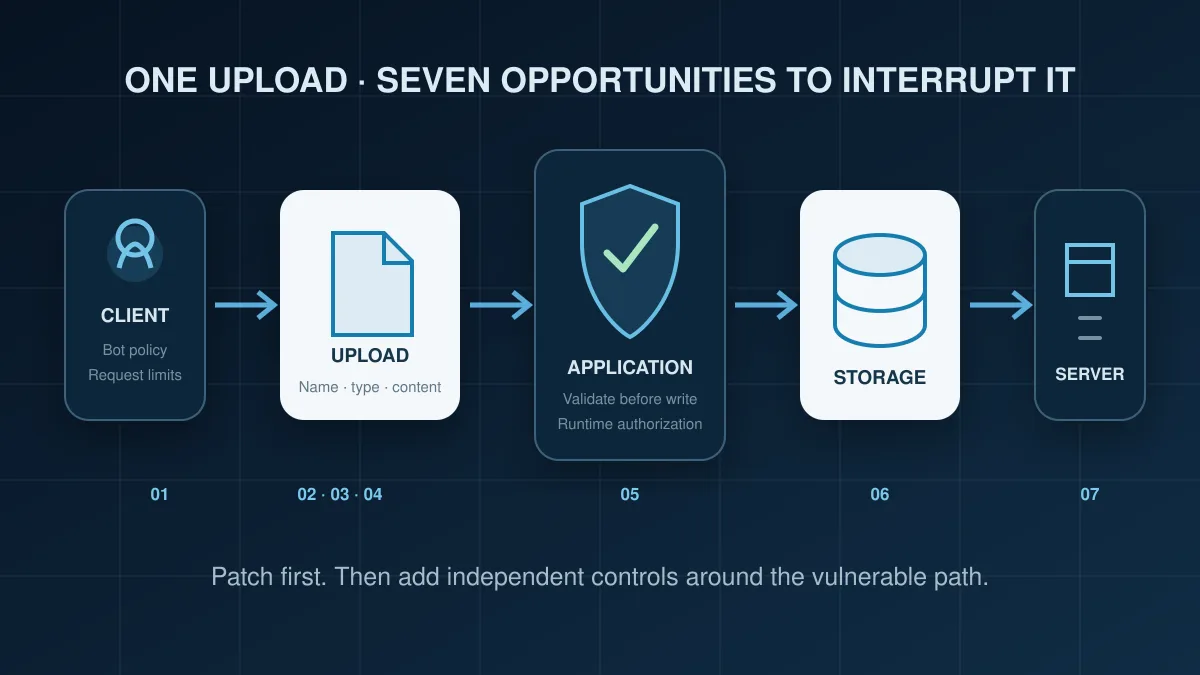
The vendor update is the primary fix. Independent controls can reduce risk before a patch is installed or if another application mistake appears.
Remove the known flaw
Updating changes the vulnerable application logic and is the most direct, reliable control for this CVE.
Inspect and restrict clients
Bot controls and WAF rules can reduce hostile traffic, though an identity-logic exploit may resemble a legitimate application request.
Enforce privileged operations
Runtime authorization controls can add another boundary when an unauthenticated request attempts an administrator-only account, file, or database operation.
These controls are complementary, not guarantees. A request-signature WAF may stop known patterns; runtime controls may stop a dangerous outcome; monitoring may reveal what was attempted. None replaces patching, secure application code, tested backups, or incident response.
Timeline and sources
The exploitation picture changed during March 2023. These statements preserve Woo’s dates and level of certainty.
- Vulnerability reported
Woo says Michael Mazzolini of GoldNetwork reported the issue through its HackerOne program.
- Woo published its advisory
Woo said it had no evidence of use outside its own security testing at that time and worked with WordPress.org on automatic patched updates.
- Possible exploitation reports investigated
Woo updated the advisory to say a few customers had reported potential exploits and that it was investigating each report.
- NVD published CVE-2023-28121
NVD describes remote unauthenticated administrator access and assigns a CVSS 3.1 base score of 9.8.
References
- NVD record for CVE-2023-28121
Affected-version description, CVSS assessment, and weakness classification.
- Woo developer advisory and dated updates
Vendor remediation, patched historical branches, and exploitation statements.
- Official WooPayments plugin page
Current release and installation information.
- BitFire’s 2023 authentication-bypass demonstration
Historical BitFire-authored demonstration; not required to apply the update.
WooPayments CVE FAQ
Historical version numbers are useful for investigation, not as downgrade targets.
Is 5.6.2 still the version I should install?
No. Version 5.6.2 is historically important as the first fix in the 5.6 branch. Install the latest supported WooPayments release available for your maintained environment.
Does updating remove an existing backdoor?
No. Updating closes this vulnerable path. It does not remove malicious files, accounts, tasks, sessions, or database changes created earlier.
Should every customer reset a password?
Woo’s advisory said standard WordPress passwords were hashed and did not claim every password was exposed. Use the evidence and exposure period to guide response. If suspicious activity exists, contain malicious code and then rotate affected administrator passwords, sessions, salts, API keys, payment or service keys, and infrastructure credentials as appropriate.
Does an affected version mean my store was hacked?
No. It means the vulnerable code was present. “Vulnerable,” “targeted,” and “confirmed compromised” describe different conditions and should not be treated as synonyms.