Why common advice can miss the real problem
Many recommendations sound good, but do not meaningfully improve the security posture of a typical WordPress site.
My name is Cory Marsh, and I have been doing web security for more than 25 years in Idaho and California. During that time I have heard a lot of security recommendations that sound good but do not actually improve your security posture.
Many of these recommendations come from a misunderstanding about how PHP and the web work. Since most WordPress sites are hosted on Linux, this article focuses on common advice for WordPress sites running on typical Linux web hosting.
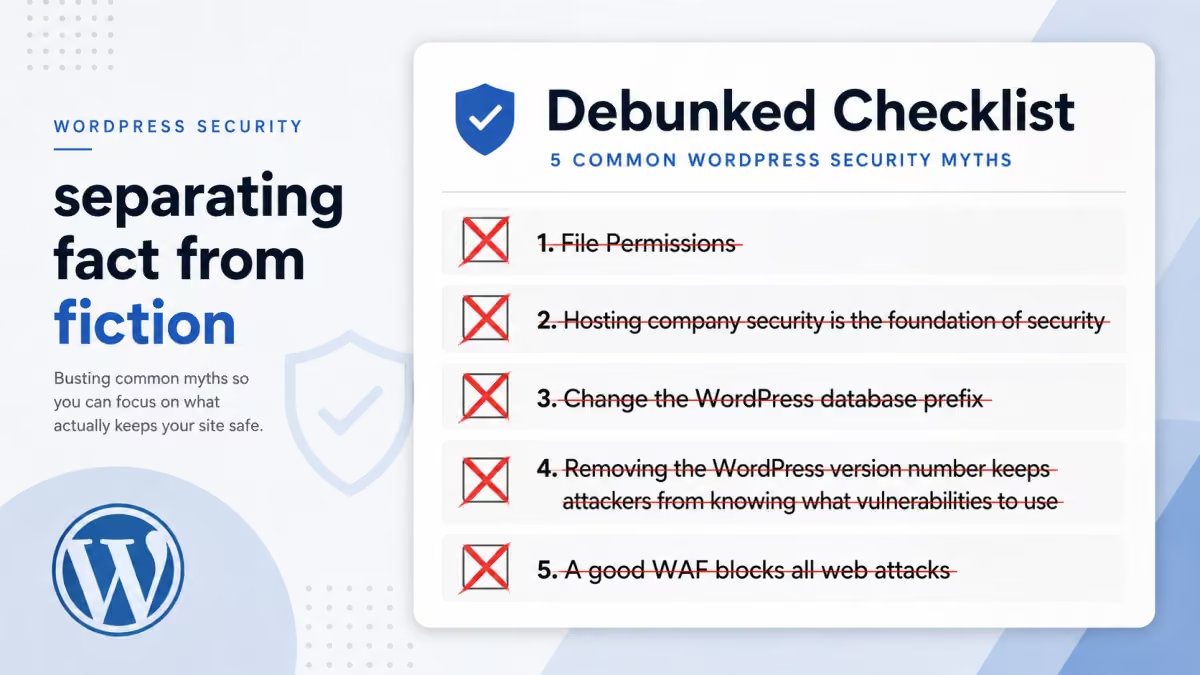
File permissions do not work the way many guides imply
“Public write permission” is often described as if anyone on the internet can edit your PHP files. That is not how a normal WordPress host works.
Every file on a Unix file system has read, write, and execute permissions. Those permissions can be set for the file owner, the file group, and everyone else, often called “public” or “other.” The misunderstanding starts when people assume that public write access means any remote internet user can edit the file.
Most WordPress sites use a web server such as Nginx, Apache, or LiteSpeed, and a PHP server such as PHP-FPM. These usually run locally as the same web user. They use local user permissions, not some direct internet-facing public permission.
For a remote system to modify files through public file permissions, it would need remote file-system access, such as a publicly mounted NFS share. That is not how typical hosting providers expose WordPress. You should still keep permissions consistent and reduce unnecessary write access, but public Unix permissions are not the direct remote editing risk many checklists imply.
Hosting company security is not the foundation of WordPress exploit prevention
Operating system updates matter, but most WordPress compromises do not begin with an outdated system package.
I do not want to throw salt in a hosting provider’s marketing game, but I have rarely seen a WordPress site compromised because of an outdated operating-system package. With unusual exceptions such as ImageMagick, there are not many operating-system packages that normal PHP code can directly reach in a way that drives the common WordPress compromise.
PHP is the system executing the dynamic application code that attackers interact with. On a typical Linux WordPress host, the attacker is far more likely to exploit a vulnerable plugin, theme, or unauthenticated endpoint than a kernel or system-package vulnerability.
Changing the WordPress database prefix is not meaningful protection
The default prefix is visible enough to attackers and easy enough for malware to discover.
WordPress has a database table prefix. The default is wp_. This behavior comes from WordPress history, including multi-site and multi-user patterns where separate tables needed separate prefixes.
Today, changing the prefix provides little security value. Modern malware and automated exploit tooling can discover or infer the prefix. The existence of many wp-to-shell exploit paths shows that this value is not a serious boundary in the modern AI-assisted malware era.
Removing the WordPress version number does not stop attackers
Most attacks do not carefully check your generator tag before trying an exploit.
Hiding the WordPress version number from generator tags mostly makes it harder for security scanners to accurately report your version. Most automated attacks do not bother checking the web server or WordPress version first. They send the exploit to every target they can find.
If the site is vulnerable, it gets compromised. If it is not vulnerable, the attacker moves on. In some cases, checking versions first can even tip off security software and get an attacker’s IP banned before the real exploit is launched.
A good WAF does not block every web attack
Traditional WAFs can block some attacks, but many modern WordPress exploits are broken access-control problems.
Firewall rule sets such as 6G, 7G, or a favorite WAF can block some web attacks. They are often useful against parts of cross-site scripting and SQL injection, though even there the record is mixed. If they block too aggressively, they block good traffic. If they do not block enough, the value is limited.
Inline WAF products from providers such as AWS, Cloudflare, and Sucuri can do an excellent job with the classes of attacks they understand. The problem is that many modern WordPress compromises are not classic XSS or SQL injection. They are broken access control.
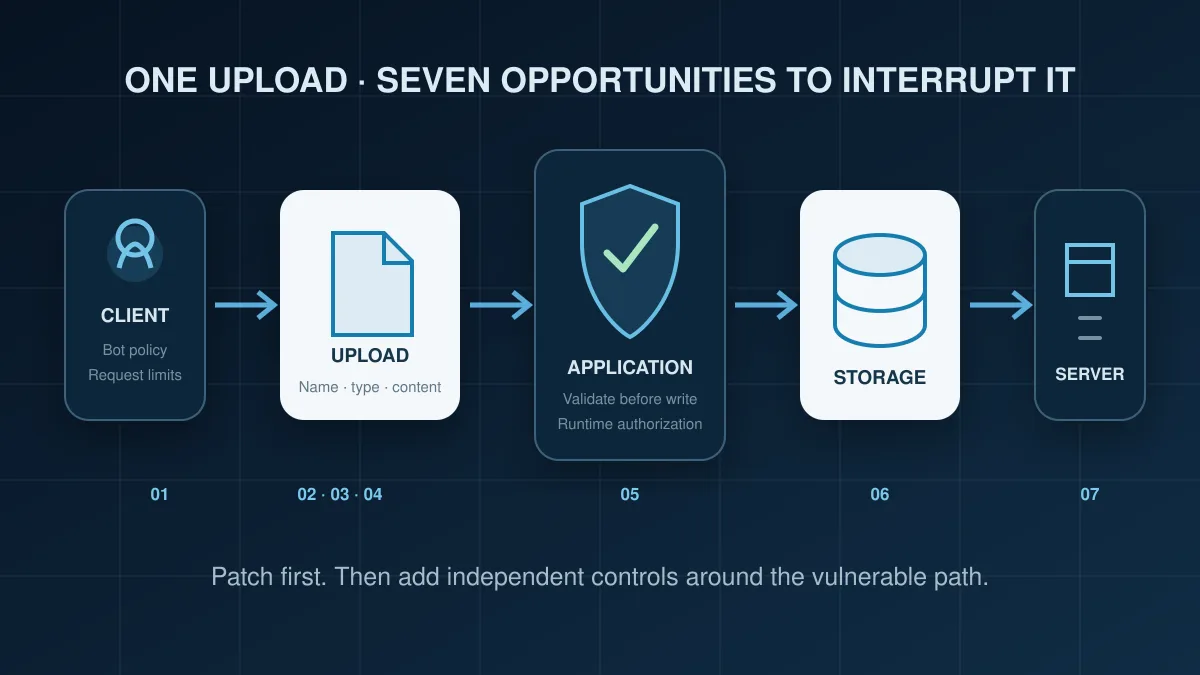
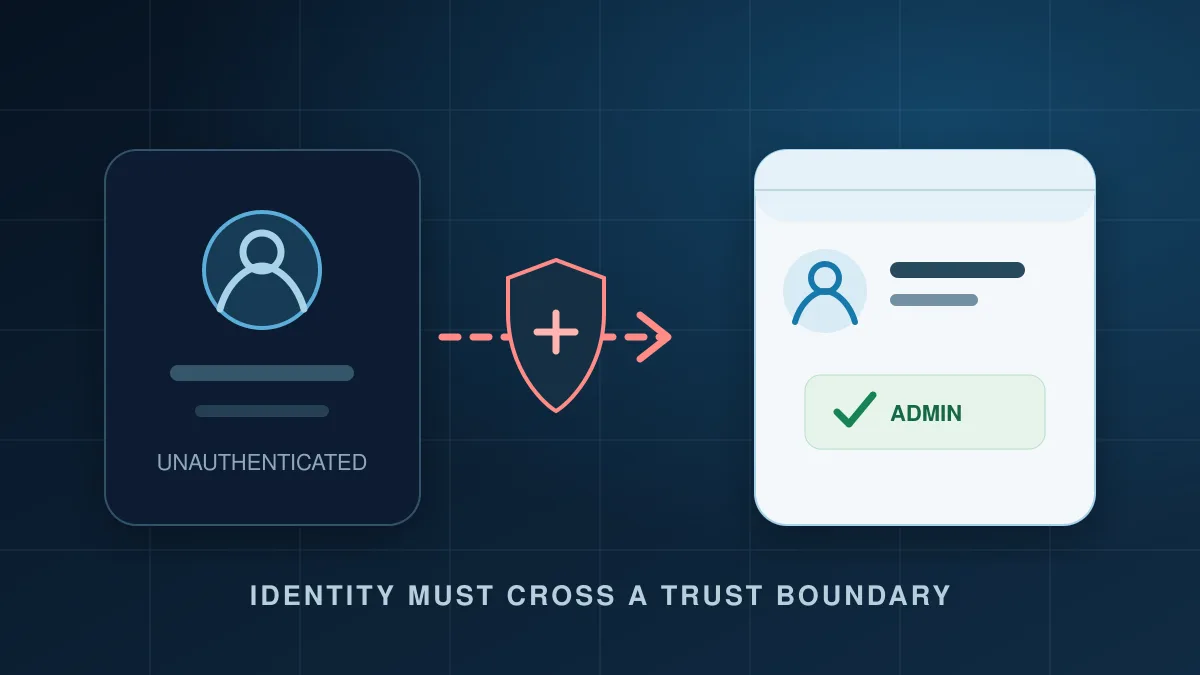
Broken access control means a developer forgot to require a valid administrator or authorized user before allowing a dangerous operation, such as uploading a file to an API endpoint. A signature-based WAF may have no concept of what the request is about to do inside PHP. It sees a request, looks for known patterns, and can wave the exploit through.
Use runtime protection for dangerous application behavior
The number-one application security risk needs controls that can observe what the request is doing.
To get real protection against broken access control, you need runtime protection that monitors the request as it executes and stops unauthenticated requests from performing dangerous actions. A tool like BitFire for WordPress includes RASP capability that can prevent exploitation of vulnerable plugins and themes by blocking dangerous operations in context.
Set consistent file-system permissions and reduce unnecessary access where possible.
Keep the operating system, PHP, WordPress core, plugins, and themes updated.
A good WAF can block real attacks, especially known malicious patterns and common injection attempts.
Stop unauthenticated requests from writing files, modifying sensitive data, or performing administrative actions.
Not all of the common recommendations are bad. You should implement sensible file permissions. You should keep your operating system updated for compatibility, fixes, and performance improvements. You should run a good WAF because it can block some real attacks.
Just do not expect those recommendations by themselves to save your website when the next plugin vulnerability affects your site.