CVE-2026-15748 vulnerability and BitFire protection

How BitFire Stops CVE-2026-15748 Forminator File Uploads

WordPress vulnerability research

BitFire blocks automated Forminator submission exploits and uses PRO RASP to prevent CVE-2026-15748 from creating unauthorized PHP files.

Unauthenticated Critical Severity Remote Code Execution Risk Arbitrary File Upload
BitFire · Vulnerability advisoryResearch published
AdvisoryCVE-2026-15748
ComponentForminator Forms – Contact Form, Payment Form & Custom Form Builder
Relevant sourcelibrary/fields/upload.php: handle_file_upload() and public submission field-configuration handling
Executive summary

What WordPress administrators need to know

CVE-2026-15748 is a critical unauthenticated arbitrary file upload vulnerability in Forminator Forms for WordPress through version 1.56.1. The vulnerable `handle_file_upload()` path performs insufficient file-type validation: its dangerous-extension blocklist relies on exact-key matching and can be bypassed with pipe-alternative MIME type keys. At the same time, the public submission handler trusts attacker-controlled upload field configuration that can be injected through a forged Select field value. An unauthenticated attacker can combine these behaviors to upload files that may be executable, making remote code execution possible on hosts that execute the uploaded file. BitFire blocks unknown automated upload requests before they reach Forminator, while BitFire PRO RASP independently prevents unauthorized PHP file creation or modification at runtime.

At a glance

Key facts

  • Forminator Forms versions up to and including 1.56.1 are affected
  • No WordPress account is required to reach the public submission handler
  • The dangerous-extension blocklist performs exact-key matching and can miss pipe-alternative MIME type keys
  • A forged Select field value can inject attacker-controlled upload field configuration into the submission flow
  • Uploaded files may be executable when server handling permits script execution from the destination path
  • BitFire blocks unknown exploit automation and PRO RASP prevents unauthorized PHP file creation
01
Vulnerability overview

Understand the exposure

The affected component, attack path, and practical risk for WordPress websites.

Affected componentForminator Forms – Contact Form, Payment Form & Custom Form Builder
Potential reach600,000+ installations
Attack techniquearbitrary file upload
Published2026-09-04
BitFire stops the forged automated form submission and independently blocks the unauthorized PHP write needed to turn an upload bug into code execution.
02
Technical analysis

How the vulnerability works

Research details, affected versions, exploitation behavior, and remediation guidance.

CVE-2026-15748 Reaches Forminator's Public Submission Path

Forminator Forms is widely used to publish contact forms, payment forms, quizzes, surveys, and upload-capable forms on WordPress sites. CVE-2026-15748 affects versions through 1.56.1 and is reachable through the public form submission workflow, so an attacker does not need a WordPress account. The exploit relies on the server accepting attacker-controlled form data that changes how an upload field is interpreted during submission. Once the upload handler receives that forged configuration, vulnerable file-type checks may approve an otherwise dangerous filename or MIME mapping and store attacker-controlled content on the site. The vulnerability is critical because successful exploitation can place a file that may be executable, making remote code execution possible depending on the web-server and upload-directory configuration.

Forged Field Configuration Changes the Upload Rules

The vulnerability is not only a file-extension parsing mistake. The public submission handler can trust upload field configuration that was injected through a forged Select field value. That matters because the upload rules should come from the administrator's saved form definition, not from request parameters supplied by a visitor. If an attacker can make the submission flow treat a crafted Select value as upload field configuration, the attacker can influence the allowed MIME map processed by `handle_file_upload()`. This turns a normal public form endpoint into a pre-authentication upload path controlled by the request sender.

Pipe-Alternative MIME Keys Bypass Exact Dangerous-Extension Matching

Forminator's vulnerable dangerous-extension blocklist checks for exact keys in the allowed MIME map. WordPress MIME maps can express alternative extensions with pipe-separated keys, such as `jpg|jpeg|jpe`. When validation removes only a key that exactly equals a dangerous extension, a crafted pipe-alternative key can still contain that dangerous extension without matching the blocklist entry exactly. `handle_file_upload()` can then pass the manipulated map to WordPress file-type logic and accept a file that should have been rejected. Correct handling must split and normalize every extension alternative, reject any dangerous member, and verify the temporary file and filename together with `wp_check_filetype_and_ext()` or an equivalent content-aware allowlist.

Remote Code Execution Depends on the Upload Destination

An arbitrary file upload primitive is severe even when code execution is not automatic on every installation. To become remote code execution, the uploaded file must land in a location where the HTTP server or PHP handler executes it, or where another application path later loads it as code. Hosts that disable script execution in upload directories reduce that immediate outcome, but they do not make attacker-controlled uploads safe or fix the plugin's trust and validation failures. A successful attacker may use the uploaded file to run PHP, establish persistence, access data, modify content, or stage additional attacks under the privileges of the WordPress process.

BitFire Bot Protection Stops Automated Upload Attempts

Automated exploitation requires a crafted POST request containing public form parameters, a forged Select value, and multipart upload content. BitFire bot protection detects unknown automation and browser impersonation when those clients submit unknown GET or POST parameters. It can reject the request before WordPress dispatches the submission to Forminator or before `handle_file_upload()` processes the attacker-controlled MIME configuration. This request-layer protection does not depend on recognizing CVE-2026-15748 by name; it targets the unknown automated client and the suspicious submission behavior used to deliver the exploit.

BitFire PRO RASP Denies Unauthorized PHP File Creation

BitFire PRO RASP provides the independent runtime boundary needed for upload vulnerabilities. Even if a crafted request reaches vulnerable plugin code, the exploit must still create or modify an executable PHP file to become a web shell or persistent code payload. RASP follows execution to that filesystem operation and denies unauthorized PHP file creation or modification from any request vector. This protects the dangerous outcome directly, so a pipe-alternative MIME key, forged field configuration, alternate client, or new upload route cannot silently turn a validation bug into executable code.

Conclusion: Public Upload Handlers Need Independent Runtime Controls

Administrators should update Forminator Forms beyond the affected 1.56.1 release, review forms that expose upload fields, and inspect upload locations and logs for unexpected executable files or repeated rejected submissions. CVE-2026-15748 shows why upload validation needs both strict server-side form configuration and independent runtime access controls. BitFire's behavior-based bot protection can stop unknown automated submissions before vulnerable code runs, while BitFire PRO RASP enforces the final rule that an unauthenticated form submission must not create unauthorized PHP, even before a CVE-specific signature is available.

03
Source review

Vulnerable and fixed code

The relevant source is located in library/fields/upload.php: handle_file_upload() and public submission field-configuration handling.

BeforeVulnerable behavior
/**
 * Forminator Get allow mime type
 *
 * @param array $mimes Mimes.
 * @param bool  $allow Allow.
 *
 * @return array
 */
function forminator_allowed_mime_types( $mimes = array(), $allow = true ) {
    if ( empty( $mimes ) ) {
        $mimes = get_allowed_mime_types();
    }
    if ( ! $allow ) {
        $filters = array( 'htm|html', 'js', 'jse', 'jar', 'php', 'php3', 'php4', 'php5', 'phtml', 'svg', 'swf', 'exe', 'html', 'htm', 'shtml', 'xhtml', 'xml', 'css', 'asp', 'aspx', 'jsp', 'sql', 'hta', 'dll', 'bat', 'com', 'sh', 'bash', 'py', 'pl', 'dfxp', 'rar' );
        foreach ( array_keys( $mimes ) as $mime_key ) {
            $key = strtolower( $mime_key );
            if ( in_array( $key, $filters, true ) ) {
                unset( $mimes[ $mime_key ] );
            }
        }
    }

    return $mimes;
}
AfterCorrected behavior
/**
 * Forminator Get allow mime type
 *
 * @param array $mimes Mimes.
 * @param bool  $allow Allow.
 *
 * @return array
 */
function forminator_allowed_mime_types( $mimes = array(), $allow = true ) {
    if ( empty( $mimes ) ) {
        $mimes = get_allowed_mime_types();
    }
    if ( ! $allow ) {
        $blocked_extensions = array( 'htm', 'html', 'js', 'jse', 'jar', 'php', 'php3', 'php4', 'php5', 'phtml', 'svg', 'swf', 'exe', 'shtml', 'xhtml', 'xml', 'css', 'asp', 'aspx', 'jsp', 'sql', 'hta', 'dll', 'bat', 'com', 'sh', 'bash', 'py', 'pl', 'dfxp', 'rar' );

        foreach ( array_keys( $mimes ) as $mime_key ) {
            $alternatives = explode( '|', strtolower( (string) $mime_key ) );
            foreach ( $alternatives as $alternative ) {
                // Normalize pattern-style keys to a plain extension.
                $extension = preg_replace( '/[^a-z0-9]/', '', $alternative );
                if ( ( '' !== $alternative && '' === $extension ) || in_array( $extension, $blocked_extensions, true ) ) {
                    unset( $mimes[ $mime_key ] );
                    break;
                }
            }
        }
    }

    return $mimes;
}

04
Zero-day protection

Protection from the first exploit request

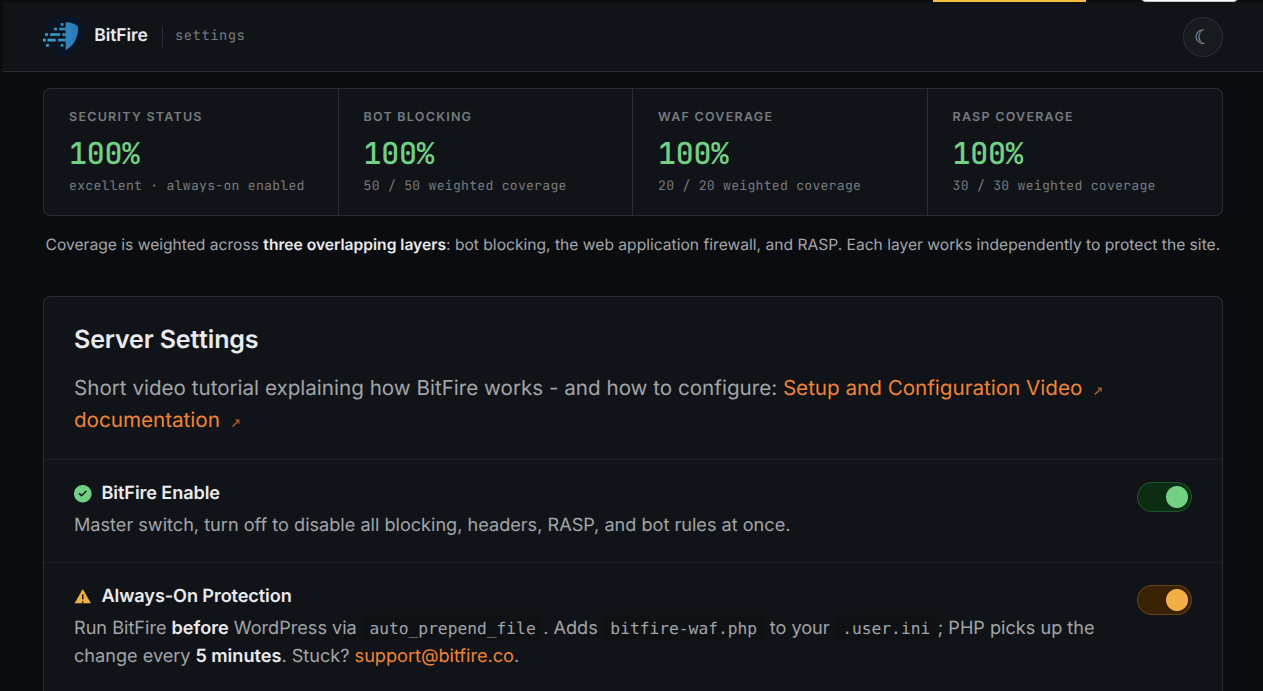
BitFire protects WordPress servers on day zero—before a vulnerability is publicly known and before other vendors have time to develop signatures or patches.

01 · VerifyStop unknown clients

Bot controls and browser verification stop untrusted automated clients before previously unknown exploit code reaches WordPress.

02 · DetectBlock malicious behavior

General WAF protections identify dangerous request behavior and hostile payloads without waiting for a vulnerability-specific signature.

03 · PreventContain attacks at runtime

RASP follows execution inside PHP and prevents unauthorized changes to protected files, accounts, and database content.

BitFire · WordPress protectionZero-day ready
BitFire zero-day WordPress vulnerability protection
BitFire combines verified-client controls, behavior-based WAF detection, and runtime RASP enforcement to protect WordPress before an exploit has a name, CVE, signature, or vendor patch.
About the author

Cory Marsh

Cory has more than 20 years of internet security experience and is a lead developer on the BitFire project.

Read BitFire security research →
Protect your WordPress website

Add protection before the next exploit arrives.

BitFire combines bot controls, request inspection, malware detection, and runtime protection in one WordPress security platform.

Protect my site free →